Version 2026-APR-28
This application has 4 layers. Please understand this first:
This page you are reading now.
This is where you enter your details and submit your application.
This opens after you click “Check My Entries”.
👉 Important:
The overlay is read-only
It is covers the Form while active (not a new page)
It is only for checking your data
It has NO submit button
This opens after you click “SUBMIT” in case of successful submission.
👉 Important:
No receipt = no application
From the overlay, you have only 2 options:
Click ️ ️ ️ 🖉 "(pencil) → to return or to fix a specific field
Click “✅ Back to Form” → to return and submit
👉 You must go back to the form to submit
👉 You cannot submit inside the overlay
To process your application quickly, please complete the form fully and truthfully.
Please close all apps and browser tabs before filling out this application. Ensure that the battery is fully charged and that you have approximately 500 MB of data available.
If you’re familiar with the process, please delete your browser history prior to using the application.
The form may be too large for your mobile screen. If you can't see the full width of the form or its border, please rotate your device to landscape mode.
Press any button only once and wait for the answer! Repetitive pressing of buttons or pressing other buttons or engaging in other activities while the sending process is running in the background might delay or stall your application!
Avoid long pauses while applying. After 7 minutes of inactivity, the system clears all your entries to protect your privacy.
Please indicate your Whatsapp number in GSM Standard without spaces. Example: Your Nigerian Whatsapp is 0901 123 45 67. Please fill in the field "+2349011234567".
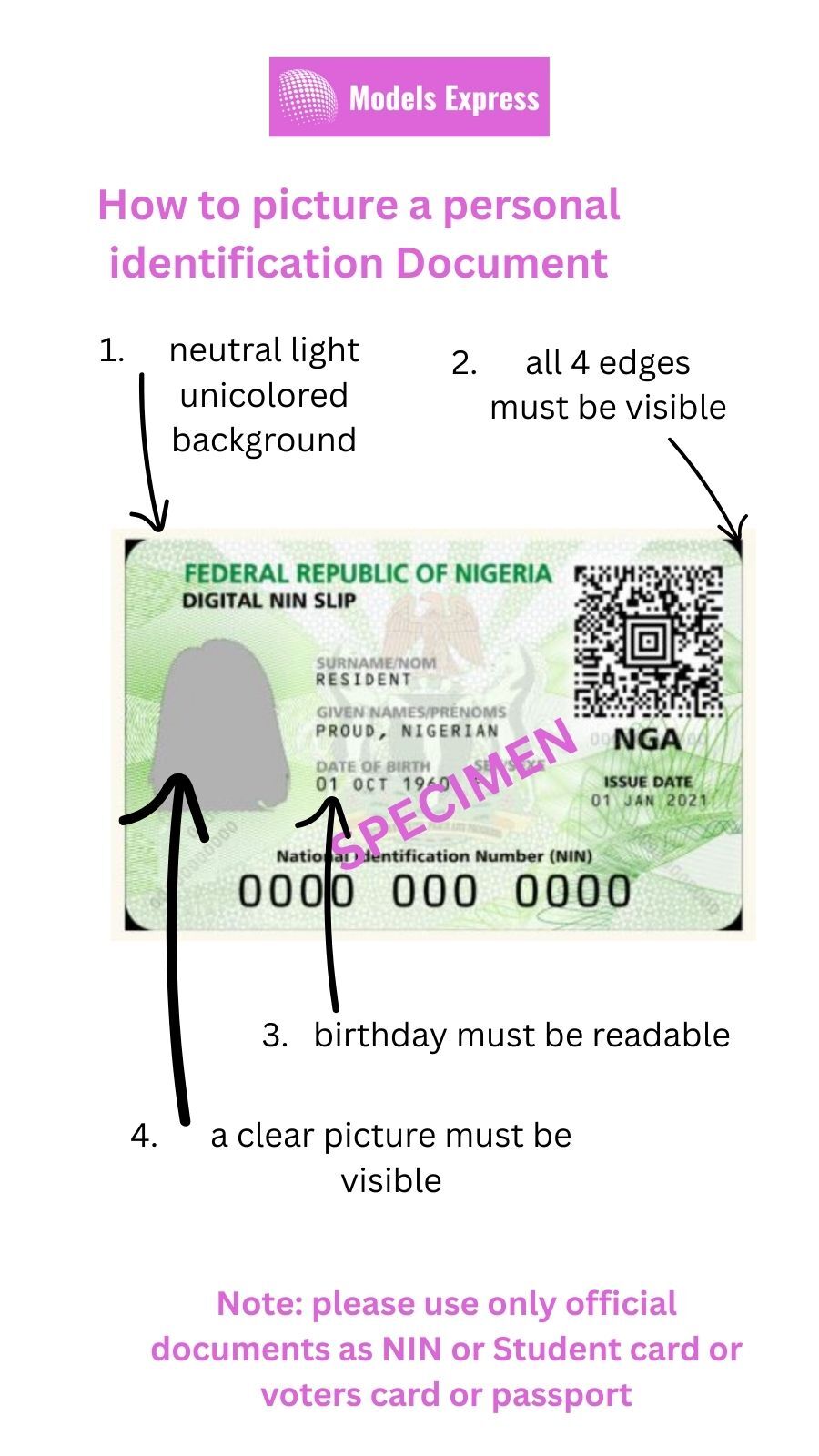
Please attach a picture of your ID card or an official identification document in File 1. The document must be legible and display your date of birth. Picture it on a neutral unicolor bright background.
All four edges of the document must be visible. Don't hold it in your hands. As an example, a national Identification Card like NIN or a passport is a valid document. You need only one of them.
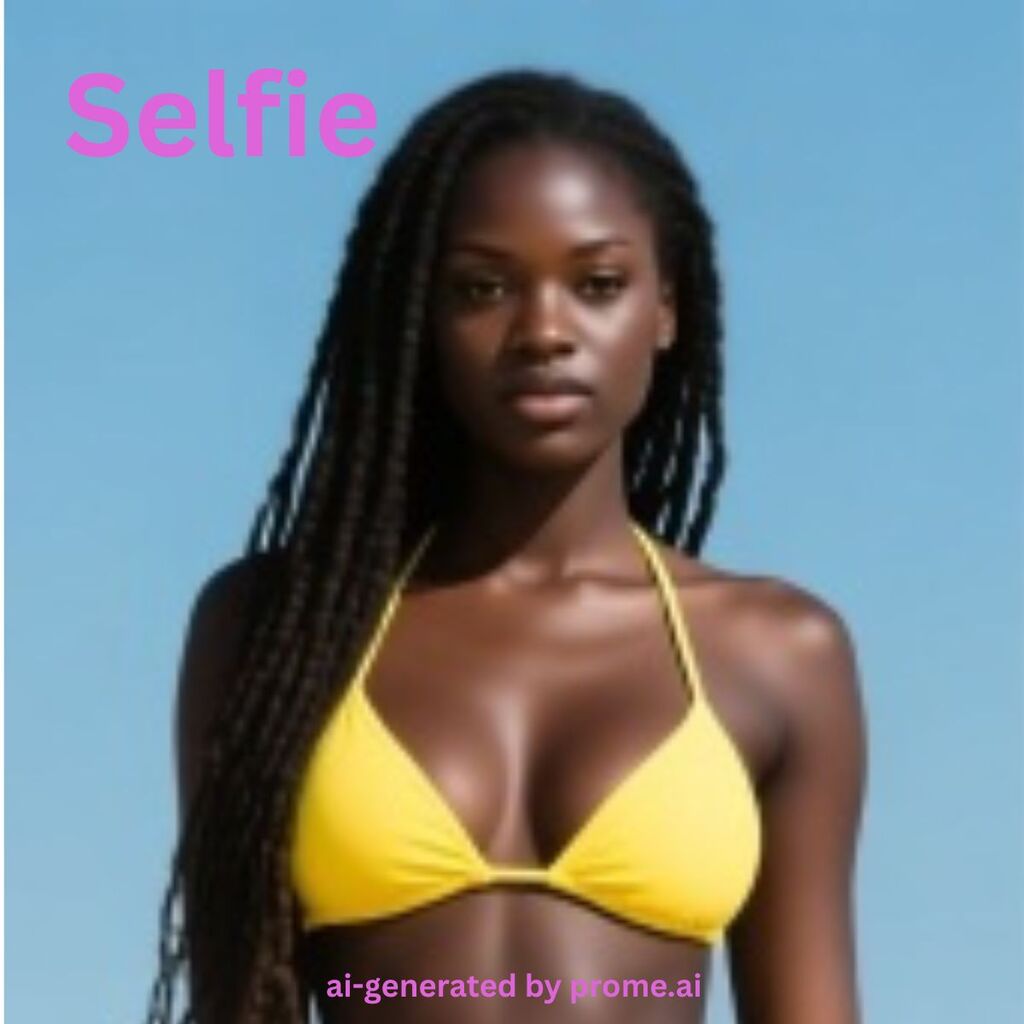
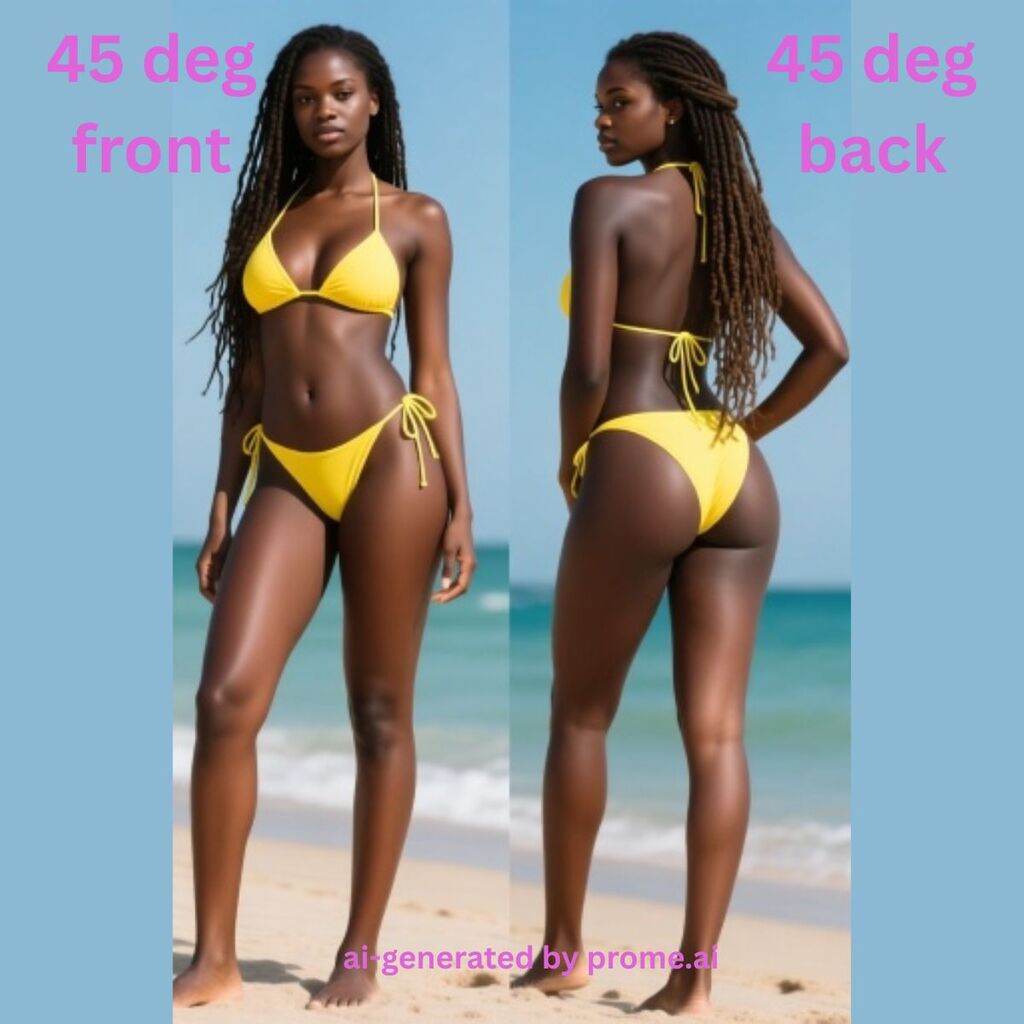
Files 1 to 5 are required. Please upload exactly the requested views for the images. A 45-deg front means an angled view at a 45-degree angle from front. Send us files in appropriate quality to convey a good impression of your personality and body shape. Bikini or underwear are preferred. Sexy crop top with tight short skirt or hotpants are fine, too.
File 6 is voluntary for addional pic or video of you you weant to show to Models Express
Any images or videos must be free of stickers, no text, no contact info, no filters!
Please apply even if you think your body shape doesn't fit for a model. Note our customers have different preferences. Some want skinny, some want slim and some want curvy or even very curvy models. We would discover some attributes our customers would like and teach you how to develop your beauty. Don't be shy, just apply.
Below you see how to pose on application pics.
If you want to model online, please send us a round view video of the room you intend to do this. The video should be 20 seconds long. Guide the camera slowly and show every wall for at least 3 seconds. Upload this video in file 5.
To upload an image or video, press on "Choose File". Select pictures. Click on the picture or video you want to upload. If it's done correctly you see the filname of the picture or video you have choosen right next to the "Choose Fife" button.
A single file should be between 0.5 MB and a maximum of 2.5 MB. Reduce the file sizes before uploading if they are too large; otherwise, you are just wasting data and risk your form submission gets stucked without getting noticed.
If you wish to send additional pictures or videos, please send them to us via WhatsApp. Identify yourself by submitting the ID Code from the application
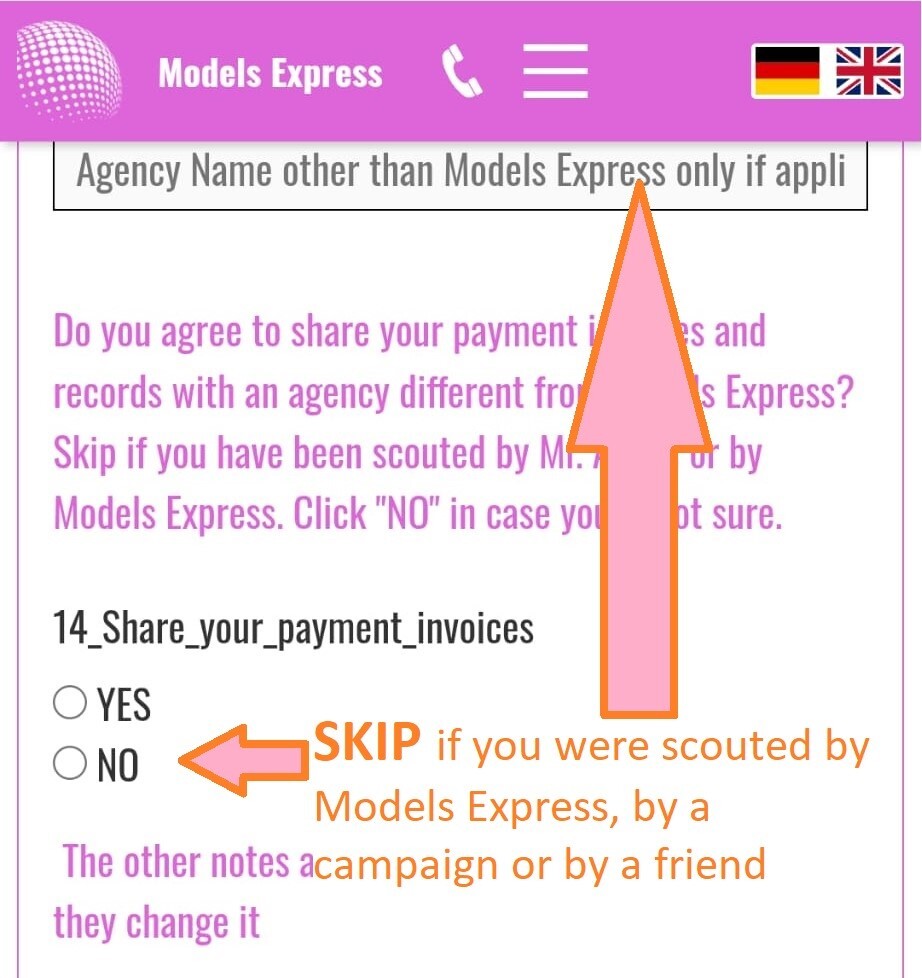
If you are scouted by a third agency (rare exception) fill 13. and 14. Normally you can skip it.
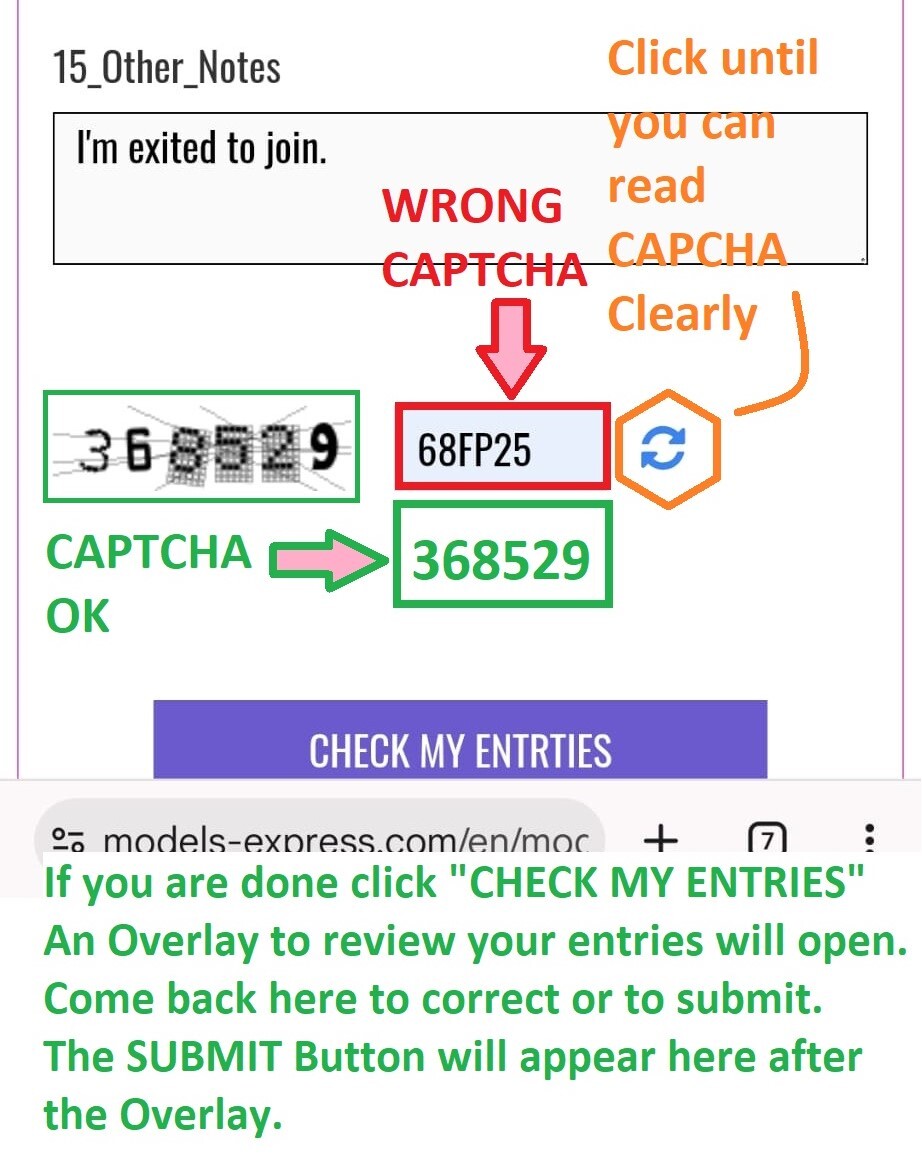
The CAPTCHA is the small security code near the end of the form.
Enter it exactly as shown
If unclear, press 🔄 to refresh
Refresh until it is easy to read (numbers or big letters)
It matters to be case-sensitive! The captcha code doesn't contain spaces! If you see a captcha with small letters, refresh until you see only capital letters. This is because some small letters look like numbers and opposite.
After click on "CHECK MY ENTRIES", If a required field is missing or the entry doesn't meet the reqired format, the form will jump back there, pointing an arrow to the missing or incorrect field as on the picture below.
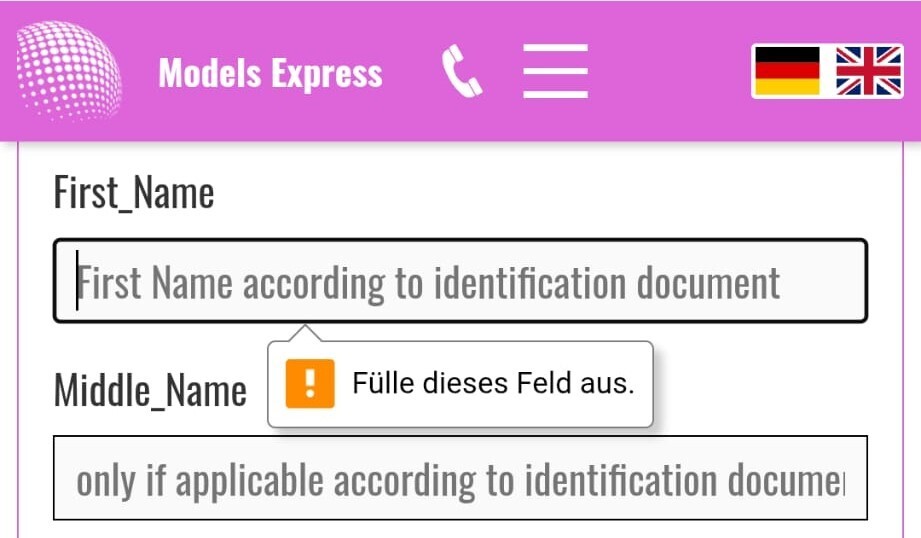
Complete all required information in the specified format. The form cannot be reviewed or submitted if any information is missing or if the format is incorrect.
Once you have finished filling out the form, click "CHECK MY ENTRIES."
After clicking “Check My Entries”, the overlay opens.
Here you can:
See all your data clearly (bigger view)
Review everything before submitting
But remember:
You cannot edit here directly
You cannot submit here
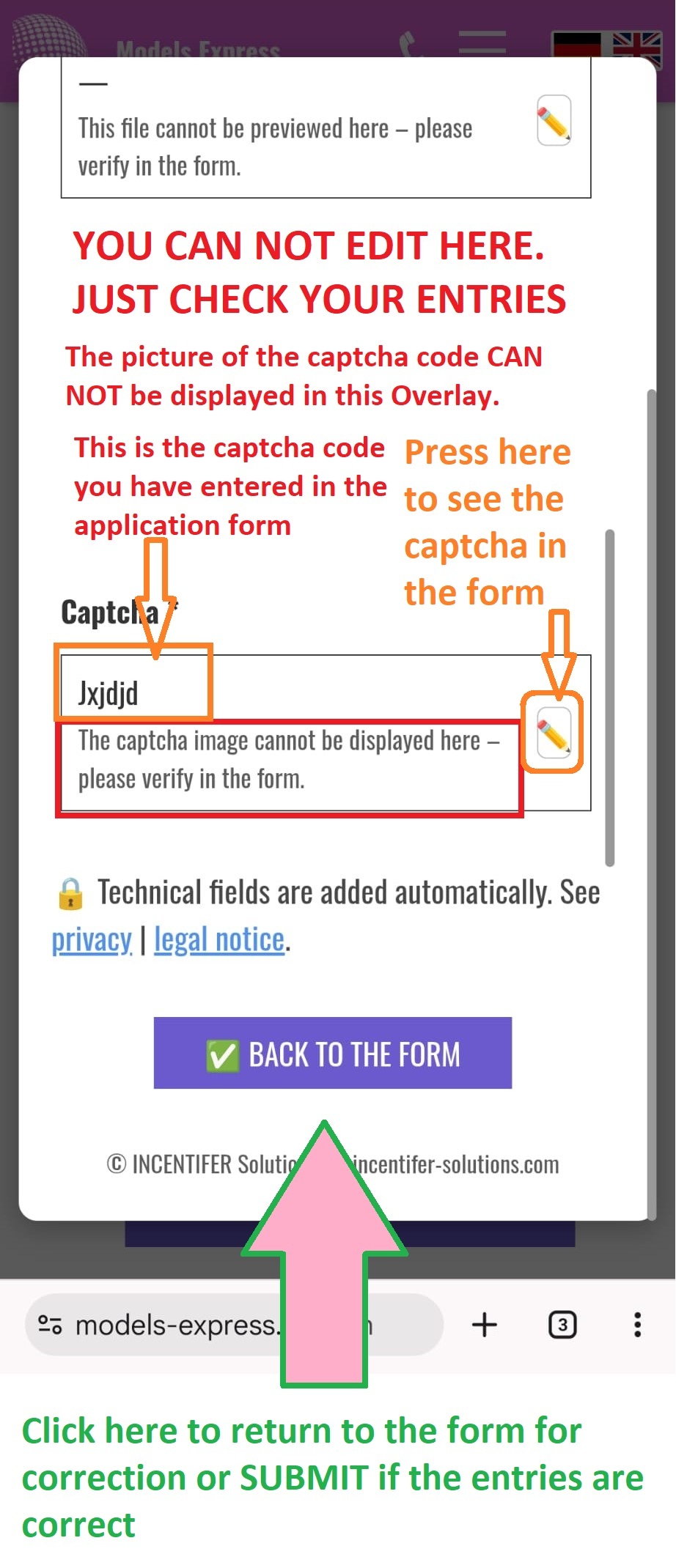
To continue:
Use ✏️ to fix something
Or press “Back to Form” to submit or to jump back to a specific Field
If the send button remains grey or gets a grey square, please wait for the response. It last up tp 7 minutes depending on network speed. If you upload large files, the waiting time increases significantly. For this reason, please RESIZE FILES BEFORE SENDING! BE PATIENT! DON'T PRESS SEVERAL REPETITIVE TIMES ON SUBMIT!
After a submit, there are two possibilities:
1. The transfer was successful. You will see a page with an "APPLICATION RECEIPT" as indicated below:
Follow the instructions on this page and copy the receipt and share it with yourself, with Mr. Armin on WhatsApp and with team@models-express.com. On top of the "APPLICATION RECEIPT" you find an encrypted ID. Keep it on a safe place. You will need it to verify your communication channels, update your contact info in our system or to withdraw consent.
After successful submission, a receipt page will open.
👉 If you do NOT see this page → your application is NOT submitted
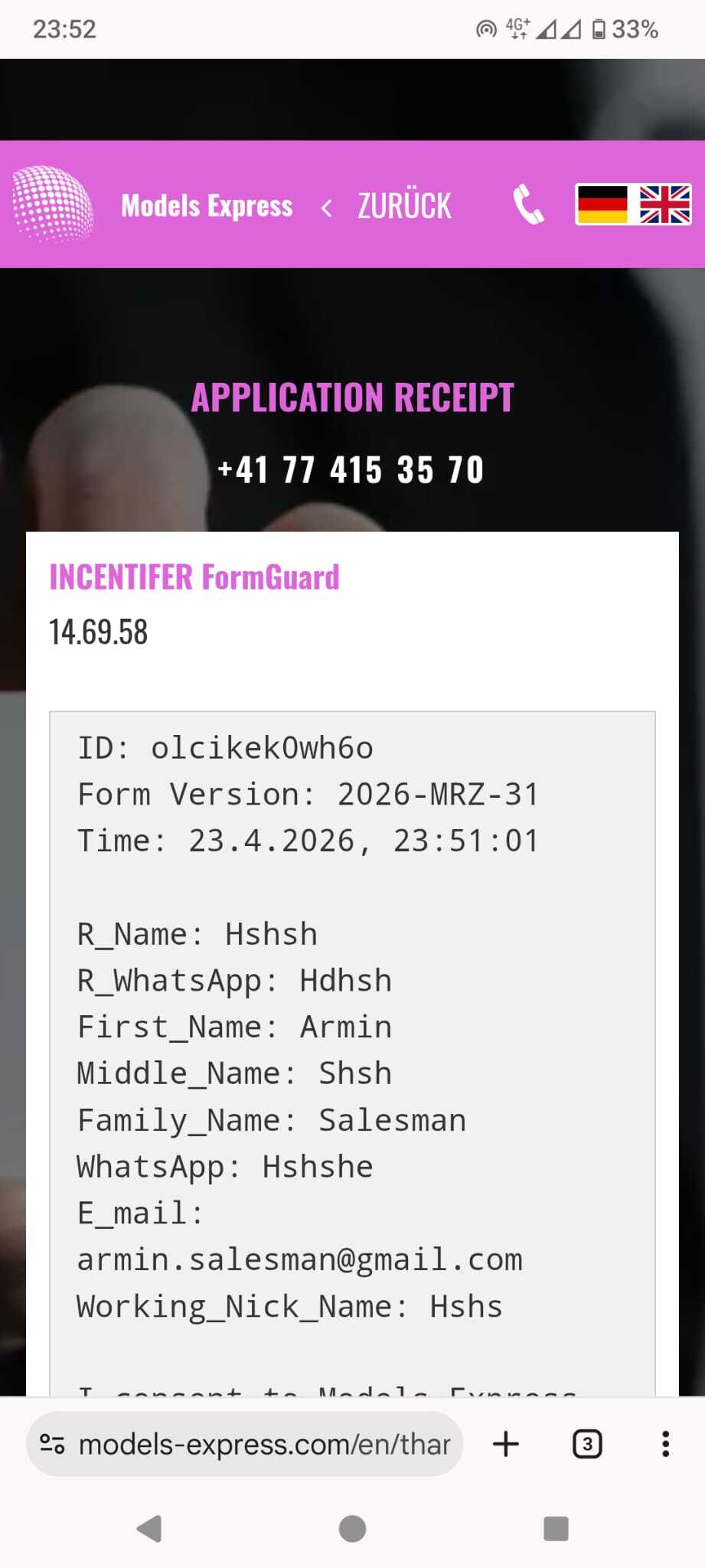
On the receipt page:
Click “Copy & Share”
Then:
Send it to yourself
Send it to the agency (WhatsApp and E-mail)
This ensures its been you to contacting Models Express and not somebody else. Keep the receipt on safe place, don’t share with other persons.
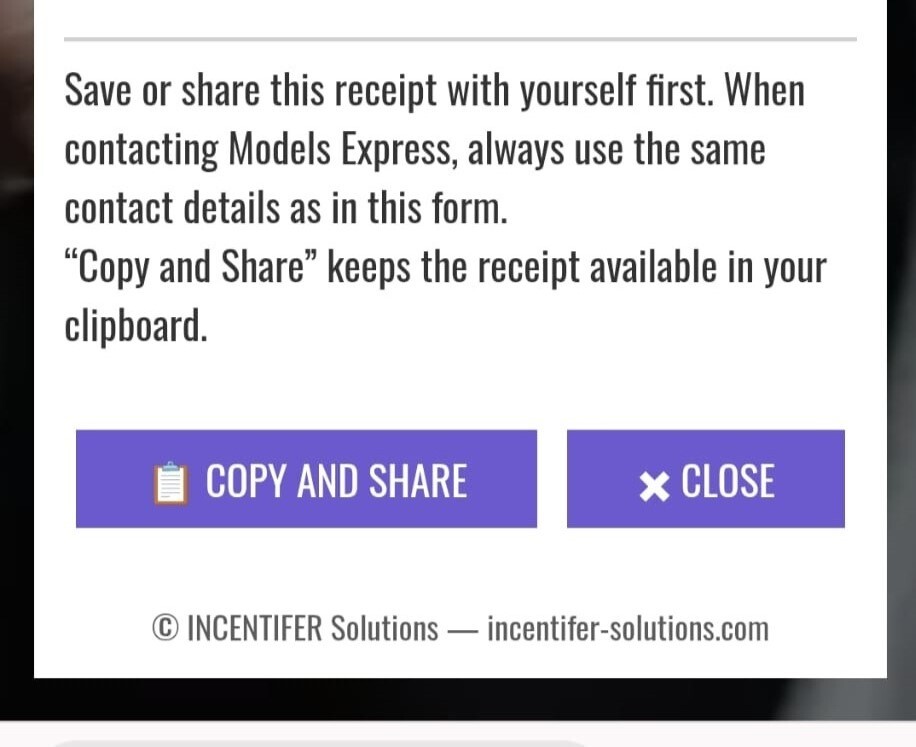
This ensures its been you to contacting Models Express and not somebody else. Keep the receipt on safe place, don’t share with other persons.
If you have to identify yourself, share the receipt and the ID only via Models express official channels, never to an manager or another model. Except Mr. Armin, the CEO and founder
Always use:
the same phone number
the same email
that you used in the application to contact Models-Express.
🔄 Change of Contact
If you want to change details:
• Send your receipt code/ID
• Send your old contact
• Send your new contact
• Clearly request an update
2. An Error occured. Learn more about Errors below
Common reasons:
Wrong CAPTCHA
Files too large
Slow internet
insufficient Data
What to do:
Screenshot the button causing the error and the error message
Fix the issue
Click “Check My Entries” again
Go back to form
Click Submit
In case of submission errors, you will find at the bottom of the messagean error message. It's mostly "Wrong security code." In case of other errors, screenshot whole Form, the error code and share it via WhatsApp to Mr. Armin.
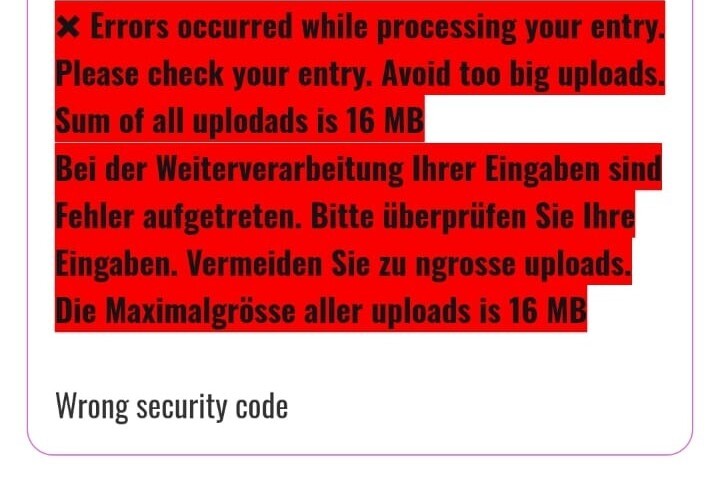
In case of errors, please do not refresh the form, as this will cause you to lose your previous input. Most errors are typically due to an incorrect security code.
If there is no specific error explanation, your files may be too large. Please reduce their size and try again.
Simply correct the issue and press "SUBMIT" again, then wait for the form's response.
After you click on "SUBMIT" for the first time, the Submit and/or Check my Entries button may disappear.
To restore the "CHECK MY ENTRIES"button after an error, simply start to edit any field you'd like to update. Make your corrections and then click "CHECK MY ENTRIES" again.
We follow strict European law and minor protection rules.
This means:
We must identify every model correctly
We must confirm you are 18+
We must match your contact details exactly
👉 This protects you and the agency
If inactive for 7 minutes:
The form resets
All data is deleted (privacy protection)
👉 Complete in one session
Your application is ONLY complete if:
You checked your data (overlay)
You returned to the form
You clicked Submit
You see the receipt page
👉 No receipt = no application
Now, you're done with instructions and ready to fill the application!
Please press the button below to reach the application form.